










Áp dụng các modem V1100ax | V1220 V2136ax |V2928 và các thiết bị sử dụng DrayOS 5
Nhằm đáp ứng nhu cầu backup và restore linh hoạt theo từng phần, DrayTek DrayOS 5 hỗ trợ tính năng sao lưu riêng lẻ một số cấu hình và tính năng, giúp người quản trị dễ dàng lựa chọn nội dung cần backup hoặc khôi phục mà không cần tác động đến toàn bộ cấu hình hệ thống.
1. Danh sách IP Bind List trong Bind IP to MAC
Vào Configuration >> LAN >> Backup & Restore
Backup: chọn Select All >> nhấn Backup
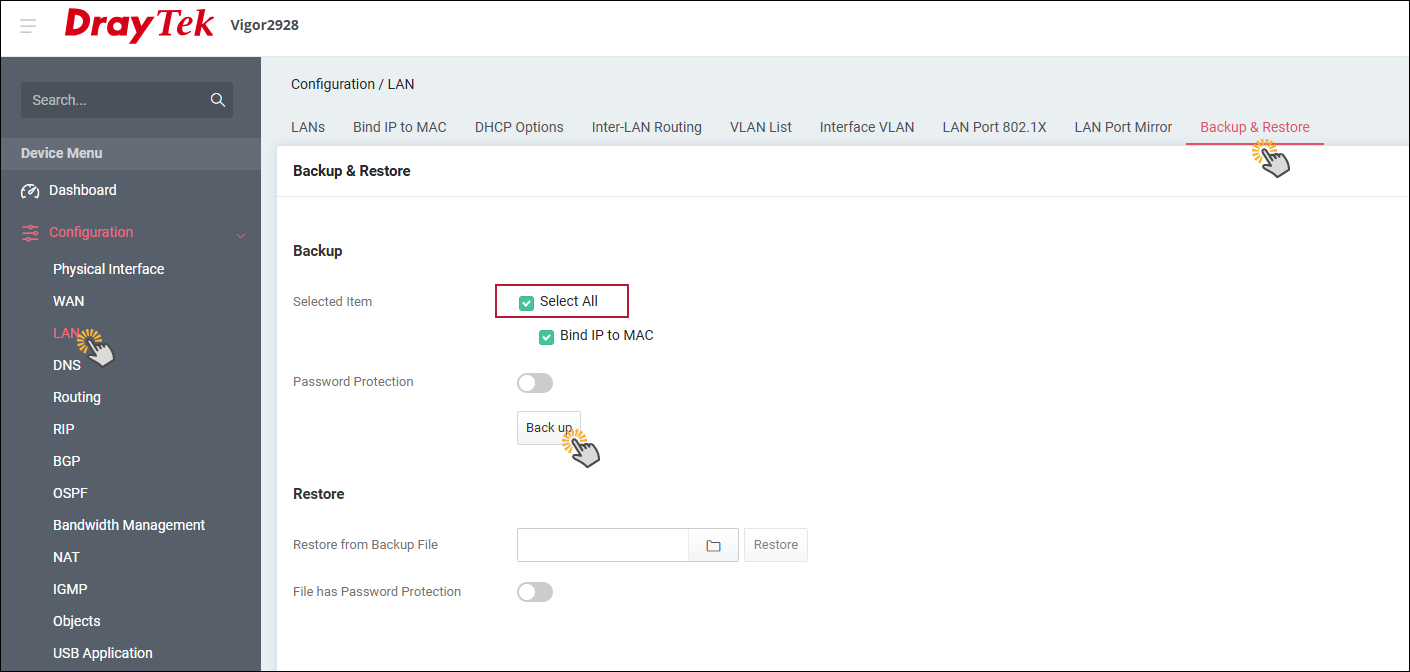
Restore: Chọn file backup đã có tại Choose File >> nhấn Restore để restore các profile đã tạo trong Objects setting.
2. Các đối tượng đã cấu hình trong Objects Setting
Vào Configuration >> LAN >> Backup & Restore,
Backup: chọn Select All >> chọn từng mục Object muốn backup
>> nhấn Backup
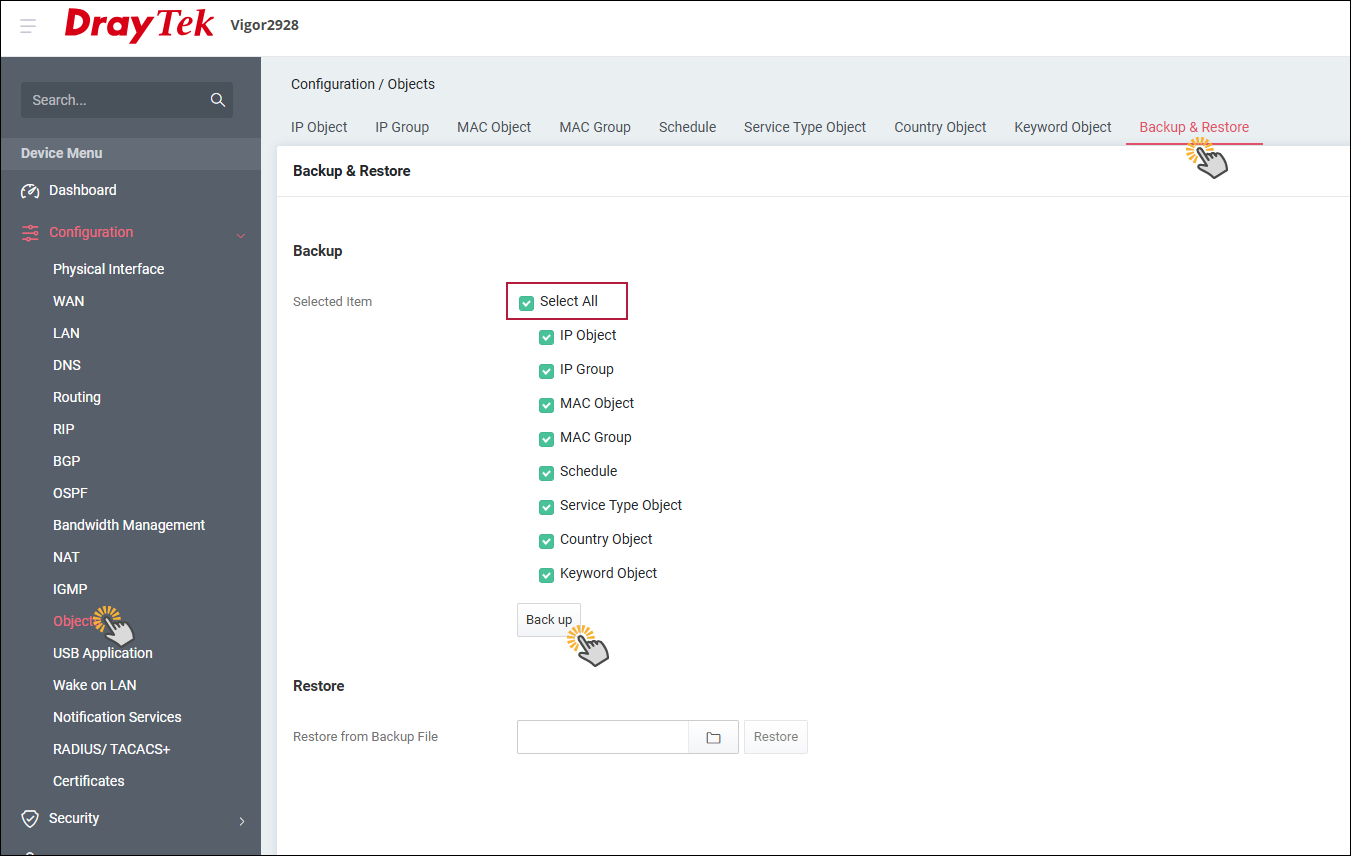
Restore: Chọn file backup đã có tại Choose File >> nhấn Restore để restore các profile đã tạo trong Objects setting.
3. Cấu hình Notification Services
Vào Configuration >>Notification Services >> Backup & Restore
Backup: chọn Select All >> nhấn Backup
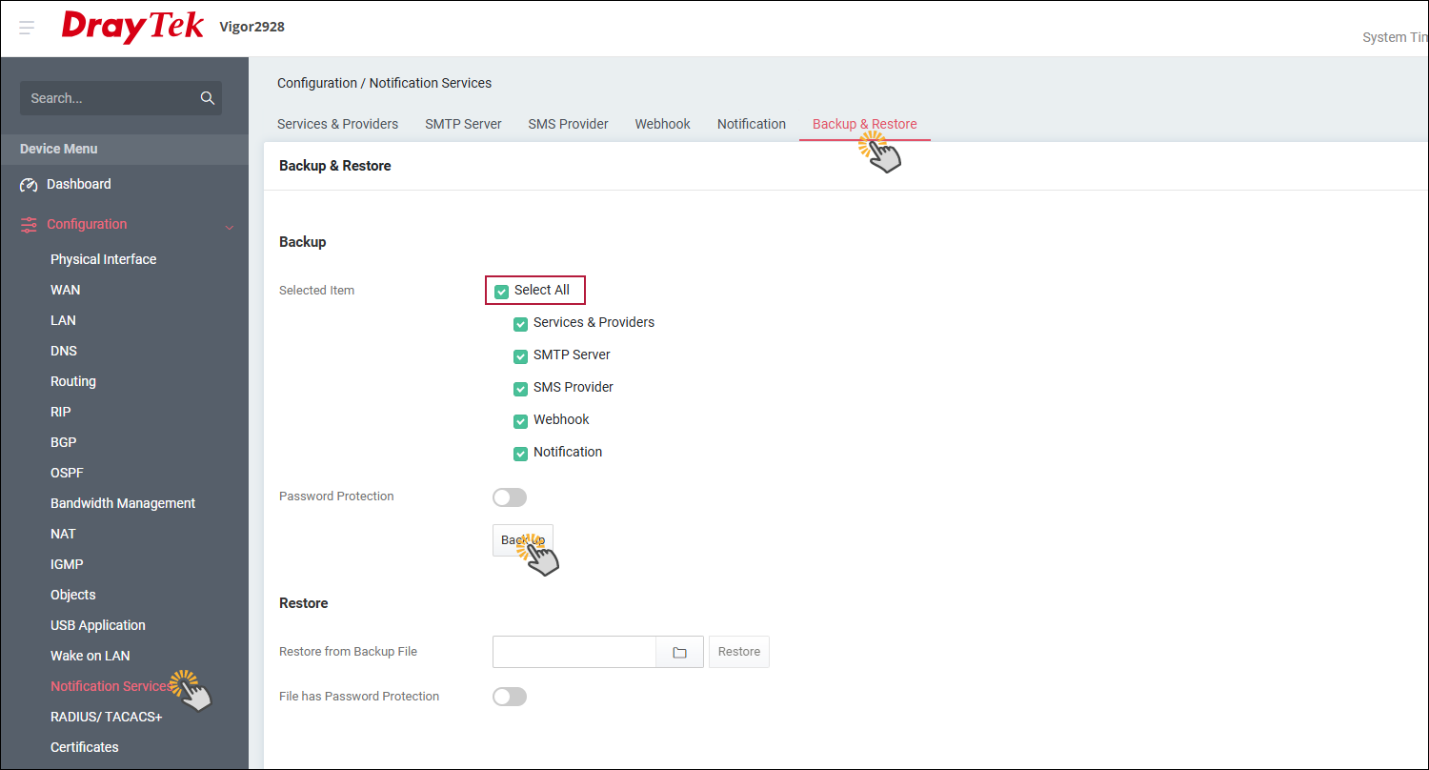
Restore: Chọn file backup đã có tại Choose File >> nhấn Restore để restore các profile đã tạo trong Objects setting.
4. Cấu hình Firewall
Vào Security >> Firewall Filters >> Backup & Restore,
Backup: chọn Select All >> chọn từng mục muốn backup >> nhấn Backup
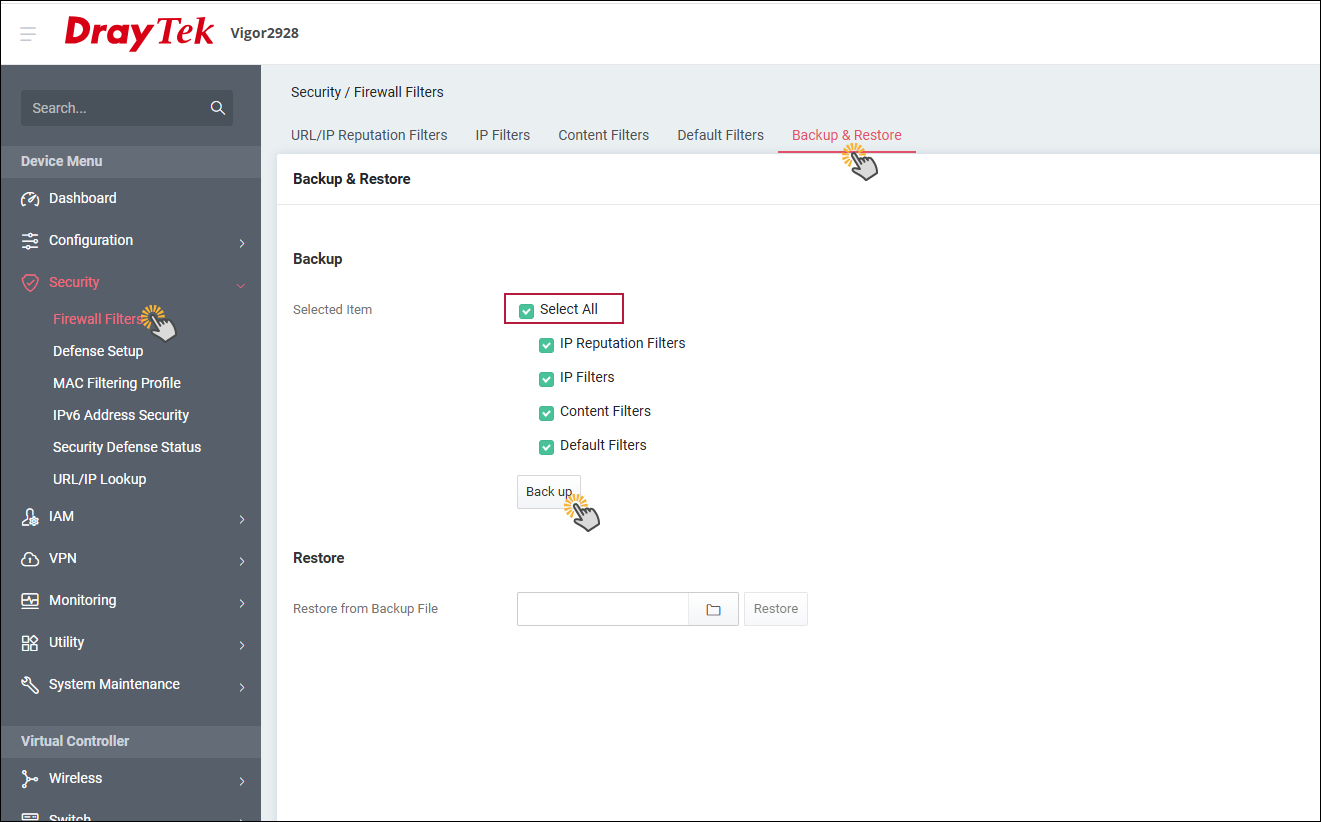
Restore: Chọn file backup đã có tại Choose File >> nhấn Restore để restore các profile đã tạo trong Objects setting.
5. Mac Filtering Profile
Vào Security >> MAC Filtering Profile >> Backup & Restore,
Backup: chọn Download lưu lại các MAC Filtering Profile
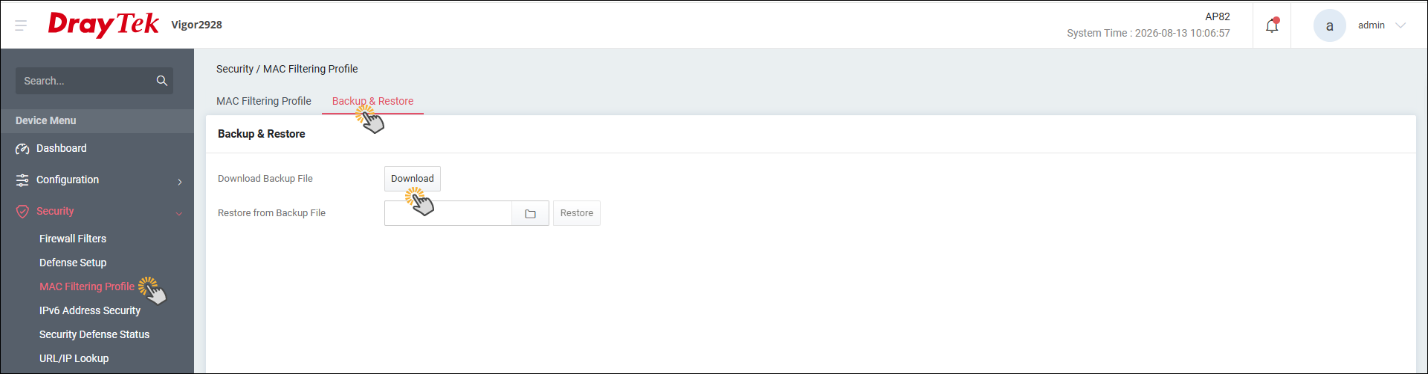
Restore: Chọn file backup đã có tại Choose File >> nhấn Restore để restore các profile đã tạo trong Objects setting.
6. Cấu hình IAM
Vào IAM >> Backup & Restore
Backup: chọn Select All >> chọn từng mục muốn backup
>> nhấn Backup
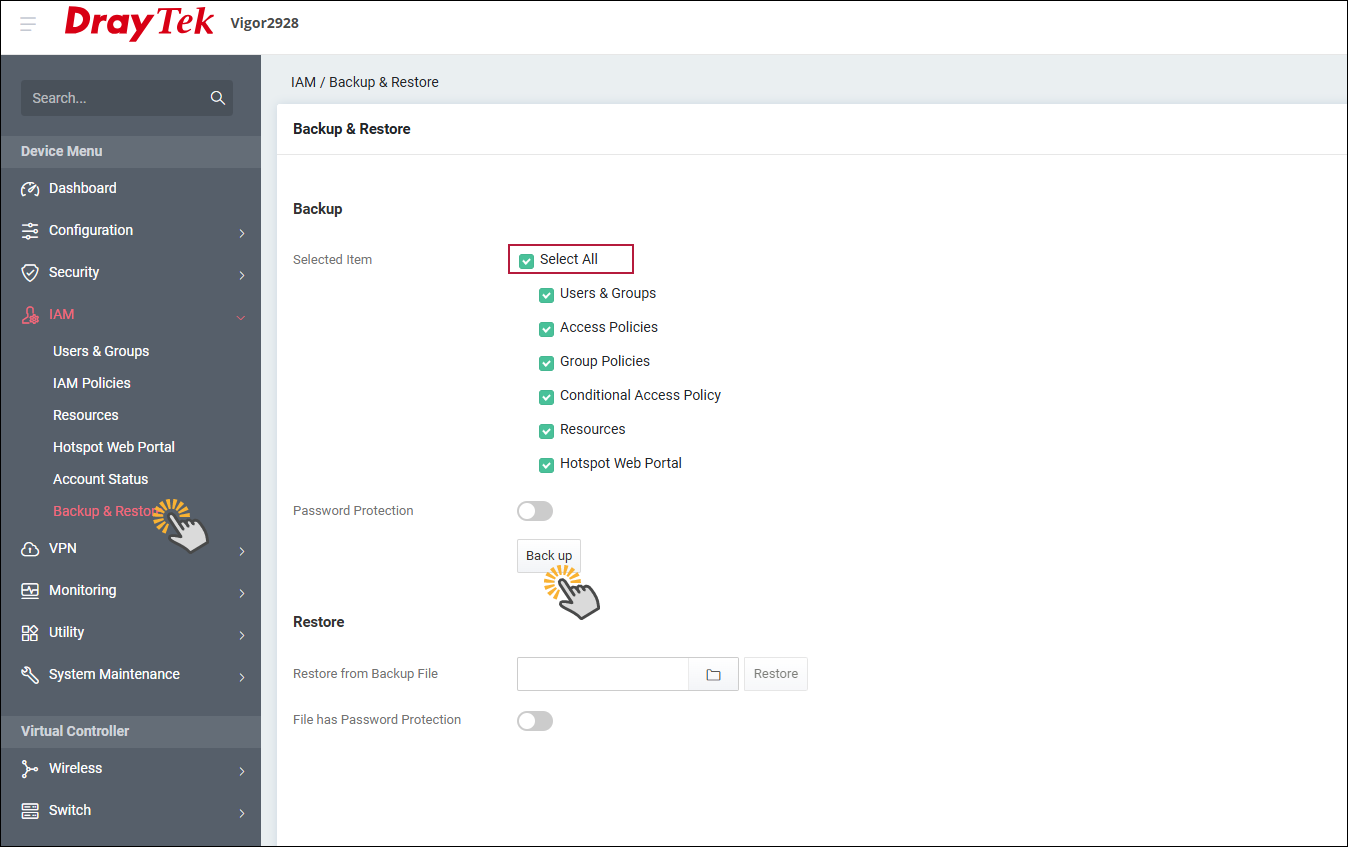
Restore: Chọn file backup đã có tại Choose File >> nhấn Restore để restore các profile đã tạo trong Objects setting.
7. VPN
Để backup VPN, cần thực hiện theo tuần tự backup Certificate và backup profile VPN. Đồng thời khi Restore VPN cũng cần restore lại theo thứ tự như trên
7.1 Backup Certificate & Restore Certificate
Vào Configuration >> Certificate >> Backup & Restore
Backup: chọn Select All >> chọn từng mục muốn backup
>> nhấn Backup
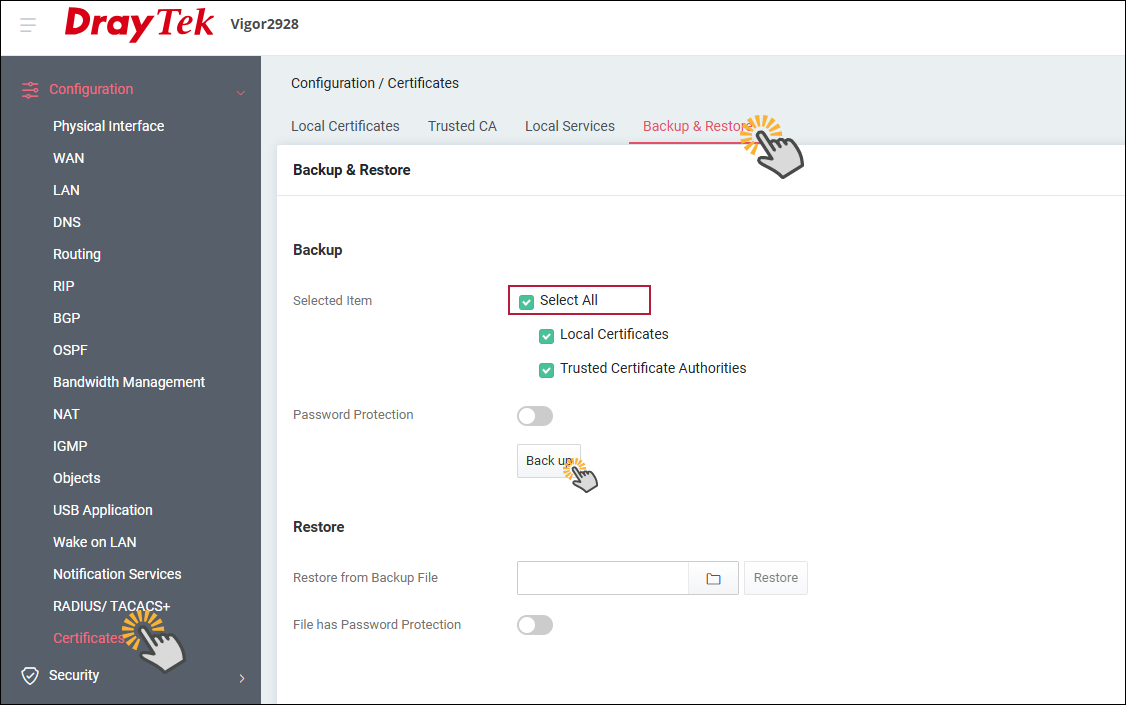
Restore: Chọn file backup đã có tại Choose File >> nhấn Restore để restore các profile đã tạo trong Objects setting.
Backup & Restore Profile VPN
Vào VPN >> Backup & Restore
Backup: chọn Select All >> chọn từng mục muốn backup>> nhấn Backup
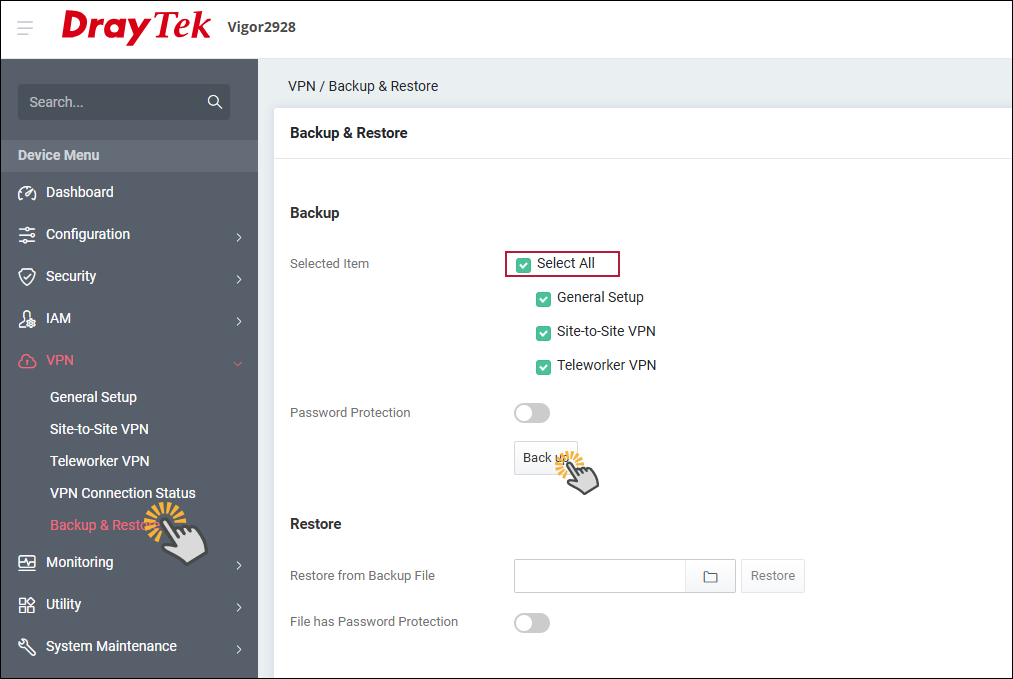
Restore: Chọn file backup đã có tại Choose File >> nhấn Restore để restore các profile đã tạo trong Objects setting.